SOCIAL STUDIO / COMPARE
Social Studio vs Buffer
Buffer is a popular, affordable scheduler with a free plan and wide network support. Social Studio is a smaller planner built around reviewing the exact post before it goes out. Here is how they compare, including where Buffer is the better choice.
At a glance
| Social Studio | Buffer | |
|---|---|---|
| Starting price | Free for 1 brand. Advanced $19/month for 3 brands; Pro $49/month for 10 brands. Priced per account, not per channel. | Free for up to 3 channels. Essentials $5 and Team $10 per channel per month. |
| Free plan | 30 post slots a month, 1 team member, version reviews and agent access. | 3 channels, 10 scheduled posts per channel, 1 user. |
| Approvals | Exact-version approvals on every plan. Client review links, including one link for a whole week or month, on paid plans with unlimited external reviewers. | Approval workflows on the Team plan only. |
| Team members | 1 on Free, 3 on Advanced, 10 on Pro. Client reviewers do not use seats. | 1 user on Free and Essentials; unlimited on Team. |
| Publishing | Facebook, Instagram, YouTube and TikTok, with provider permissions and limits. Other networks are for planning and manual publishing. | Instagram, Facebook, TikTok, LinkedIn, X, YouTube, Threads, Pinterest, Google Business Profile, Bluesky, Mastodon and Substack. |
| AI assistants | Hosted MCP connection on every plan for Claude, ChatGPT, Codex and other MCP assistants. You choose read only, draft editing, or drafts and approvals. AI generation is not included. | Built-in AI Assistant on every plan, and an MCP server on every plan, including Free. |
Buffer details from its public pages, checked October 22, 2026: Buffer pricing, Buffer MCP server. Prices are in USD before tax and can change; check their site for current terms. Buffer is a trademark of its owner, and Social Studio is not affiliated with it.
Where Buffer is the better fit
Choose Buffer if you need to publish to networks Social Studio does not support yet, such as LinkedIn, X, Threads, Pinterest, Bluesky or Google Business Profile. Buffer is also cheaper if you run one brand on one or two channels, and its free plan covers three channels.
Buffer already offers an MCP server on every plan, so connecting an AI assistant is not a reason on its own to switch.
Where Social Studio is the better fit
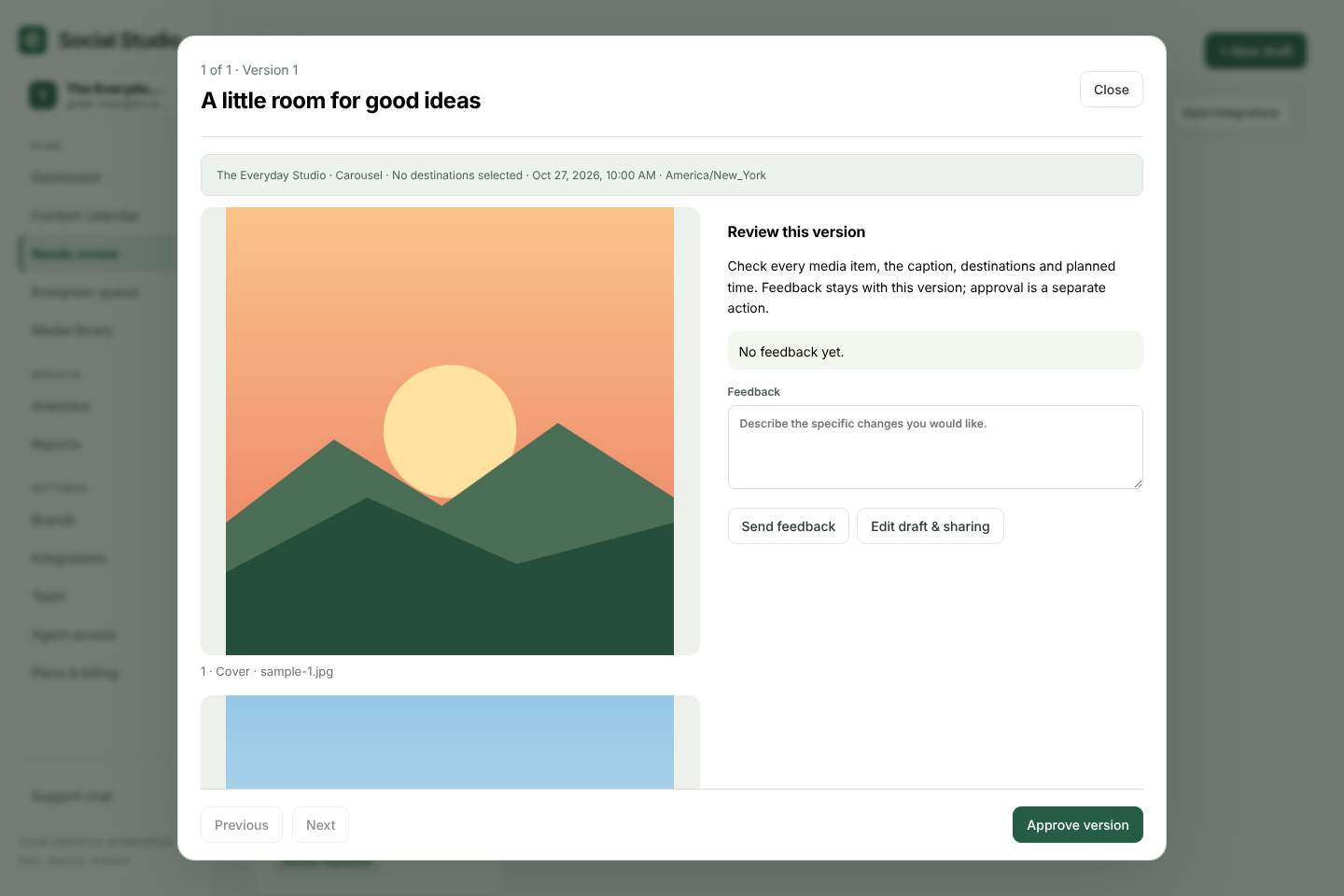
Social Studio fits teams and agencies that need a client or manager to approve each post. Approval belongs to the exact saved caption and media, and any later edit needs a fresh review. On paid plans you can send a client one private link for a whole week of posts and they can approve or request changes from their phone.
Pricing is per account rather than per channel, so posting one brand to Instagram, Facebook, YouTube and TikTok costs the same as posting to one. With Buffer, approval workflows start on the Team plan at $10 per channel.
Switching from Buffer
Create a free workspace, add your brand and connect Facebook, Instagram, YouTube or TikTok. Import upcoming posts from a CSV file as unreviewed drafts, check them, then send them for approval. Nothing publishes until an owner schedules an approved version.
Try it with your own posts
Create a free workspace, add a brand and plan your first post. No card needed.