Plan multiple brands
Give each brand its own voice, timezone, social destinations and content calendar. Keep several clients or projects organized in one account.
SOCIAL STUDIO / Features
Plan content for multiple brands, keep media and feedback together, and use your own AI assistant to help prepare posts. Review the saved version before publishing.
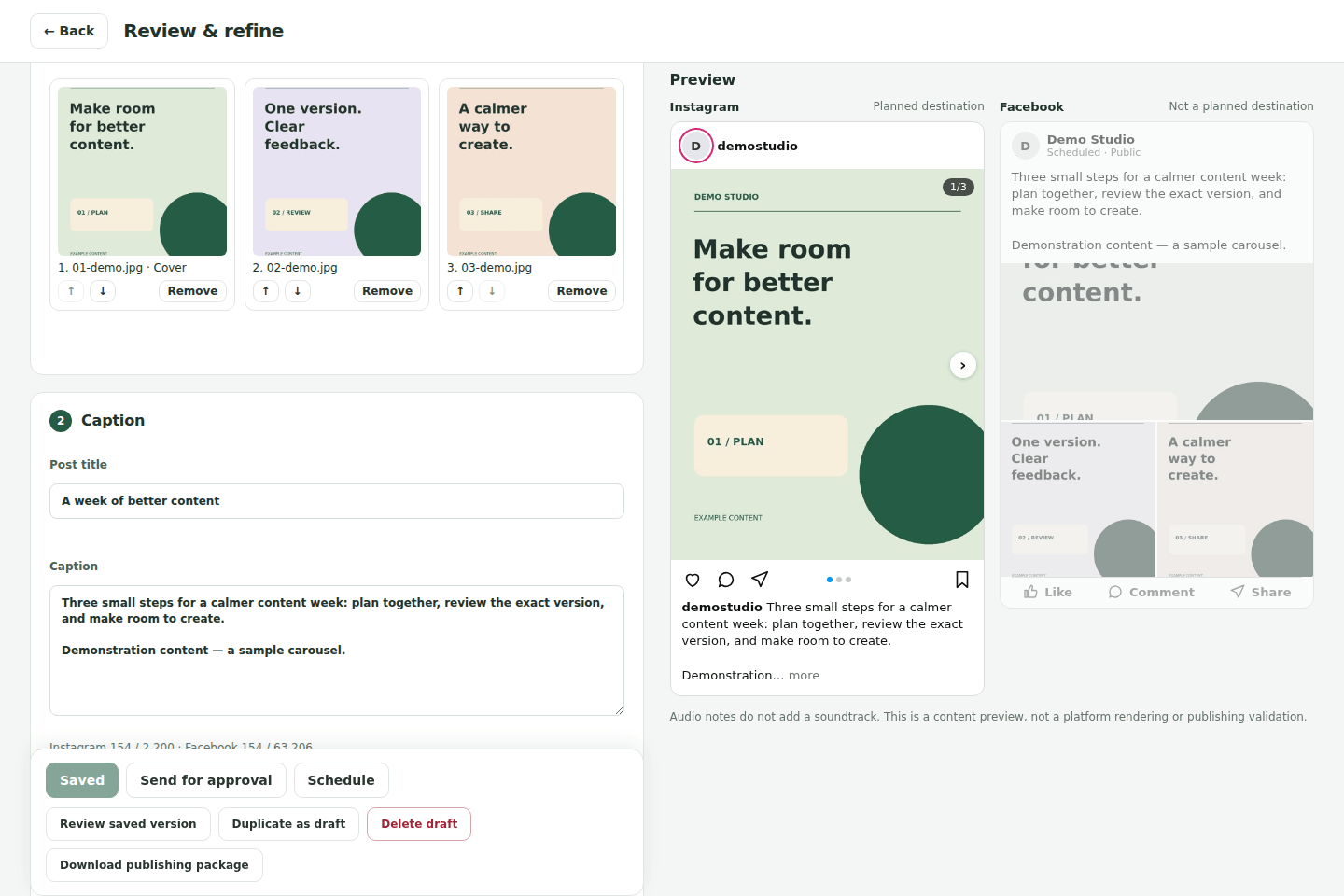
Give each brand its own voice, timezone, social destinations and content calendar. Keep several clients or projects organized in one account.
Upload photos and videos, write captions, arrange carousel images and save a version before asking for review.
Reviewers see a saved version. Later changes need a new review, so an approval belongs to the content that was actually checked.
Explore client approvalsConnect a compatible assistant such as ChatGPT, Claude or Codex through MCP. Ask it to summarize drafts, prepare captions using your brand context, or record your explicit approval of a saved version. Choose read-only access, draft editing, or drafts and approvals for one workspace.
Agent access is included on every plan. You bring your own assistant; AI generation is not included in the Social Studio subscription. The hosted assistant connection does not publish posts. Publishing and scheduling are actions you confirm in the app.
Connection instructions, access levels and example prompts| Platform or workflow | Available behavior | Requirements and limits |
|---|---|---|
| Publish supported reviewed text, photo and Reel posts. | A connected Page and the required publishing permissions. | |
| Publish supported photos and photo carousels; use the app's available Reel controls for supported video workflows. | A professional account and platform permissions. Native music is a separate Instagram workflow, not automatically added by the planner. | |
| YouTube | Upload reviewed videos, with scheduled public release where supported. | A channel connection and upload permission. Provider review restrictions may limit uploads to private visibility. |
| TikTok | Supported reviewed video publishing through the app. | Provider approval, current authorization and verified media hosting. Private-only restrictions may apply; scheduling is not offered by this adapter. |
| Other planned destinations | Prepare content and download a manual publishing package. | A planning or identity connection does not mean live publishing is supported. |
| Connected analytics | Current Facebook and Instagram totals; YouTube totals and daily reports; TikTok totals when authorized. | Available metrics depend on platform permissions and valid connections. Missing daily data is shown as unavailable, not zero. |
A planned calendar date is not a live schedule. Review the post, choose an available publishing or scheduling action, and check its resulting status.
Social Studio fits creators organizing their own posts, teams that need a review step, and agencies coordinating several brands and client approvals. It is especially useful when you already use an AI assistant and want it to work with saved drafts and brand context.
It is not an advertising manager, social listening suite, or an unlimited AI content generator. Check the platform capabilities above if your workflow depends on a particular network, format or analytics metric.
Compare Free, Advanced and Pro