SOCIAL STUDIO / FOR CREATORS
Plan your Reels, music and all.
Upload a Reel, choose a song from Instagram's catalog, and schedule it next to your YouTube and TikTok videos. Your AI assistant can help with captions, and you keep the final say.
Native Instagram music on Reels
Search Instagram's audio catalog by song or artist, or browse trending audio, then set the song and video volume. Social Studio attaches Instagram's own song to the Reel rather than burning a track into your video, so Instagram shows the song credit as usual. This needs a professional Instagram account connected through a Facebook Page, with the Meta permissions in place.
If a song becomes unavailable before your Reel goes out, publishing stops and tells you instead of posting without it.
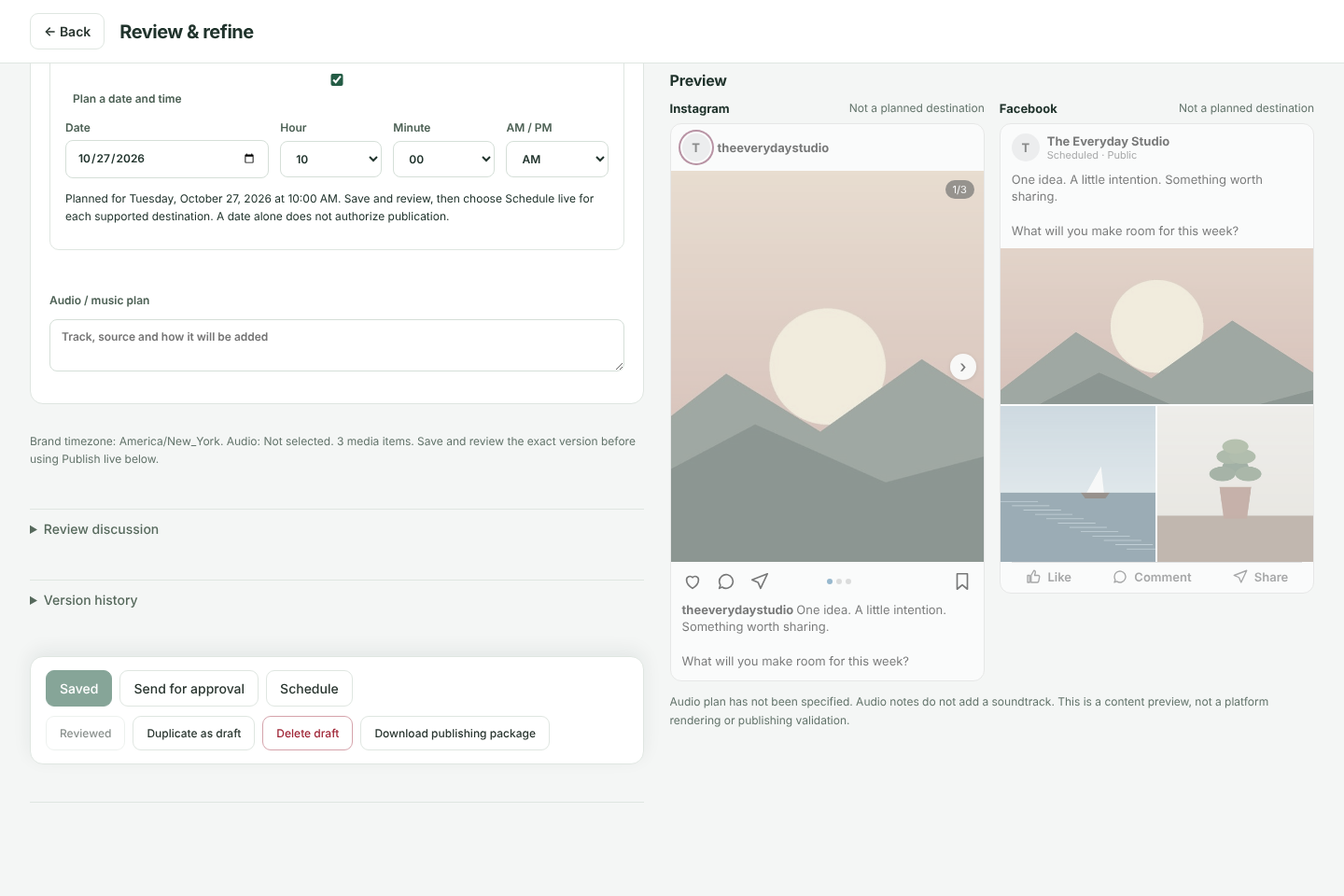
Carousels with music
Social Studio cannot add music to photo carousels automatically. For those, Finish in Instagram gives you the photos in order, the caption and your song note, so you can add the exact track and publish in the Instagram app.
Video everywhere you post
Upload videos to YouTube, with scheduled public release where supported, and publish videos to TikTok. Facebook Reels are supported too. YouTube and TikTok review rules may limit new connections to private uploads, and TikTok posts cannot be scheduled ahead.
Bring your own AI assistant
Connect Claude, ChatGPT or another MCP assistant to draft captions in your voice, plan a week of posts, or schedule a post you have already approved. It cannot approve or publish anything without you. Assistant access is included on every plan; AI generation itself is not. See how it works.
Try it with your own posts
Create a free workspace, add a brand and plan your first post. No card needed.