SOCIAL STUDIO / Client approvals
Give every post a clear approval.
Keep drafts, media and review decisions in one place. Share content for feedback, approve the exact saved version, and publish only when you are ready.
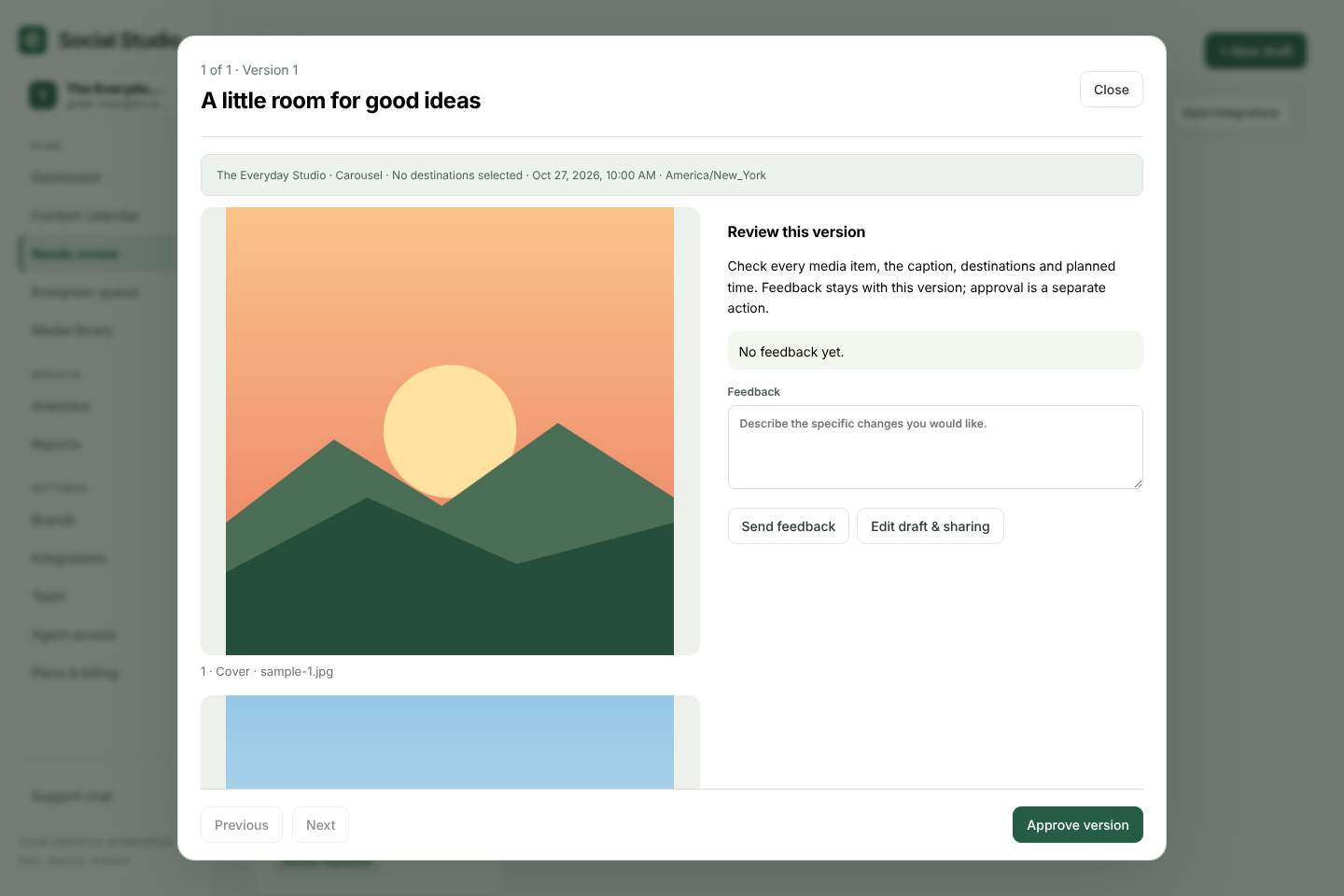
Keep client feedback attached to the post being reviewed
Social media approvals become difficult when captions, media and feedback live in separate messages. Social Studio keeps the draft and its review together. A reviewer approves a specific saved version, rather than a moving target.
- Prepare the draft. Choose the brand, caption, destinations and media order, then save.
- Request review. Ask a teammate to check the draft, or use an external client review link on a paid plan.
- Check the exact version. Review the caption and attached media before recording a decision.
- Review changes again. Editing creates a new version. An older approval does not approve later changes.
- Publish deliberately. An owner confirms an available publishing or scheduling action in Social Studio. Approval itself does not send a post.
Team reviewers and external clients
Use workspace roles for collaborators who need ongoing access. Use client review links for people who only need to review the content you share. Paid plans include unlimited external client reviewers, separate from the team-seat allowance.
For example, an agency can prepare a carousel for a cafe, send the saved version to the client, and make a requested caption change before seeking fresh approval. This is an example workflow, not a customer testimonial.
AI can prepare a draft; you decide what is approved
A connected assistant can help with ideas, captions and draft preparation. With the drafts-and-approvals access level, it can record approval only after you explicitly approve the saved version it shows you. If the version changes, it must show the new content before recording a fresh decision.
This makes Social Studio useful for teams that want AI assistance while retaining a clear review step. It does not replace your responsibility to check facts, image rights and platform requirements.
See assistant approval examplesChoose a plan for your review workflow
Free includes draft planning and version reviews for one team member. Advanced adds three brands, three team members and external client reviewers. Pro supports ten brands and ten team members with larger shared allowances.
Compare pricing and allowances